Anytime ERP

Anytime ERP feature

School attendance management

Teachers mark the register in a few taps. The principal sees which classes are marked, who is absent and what still needs attention — on the web and the phone.

app.anytimeerp.in
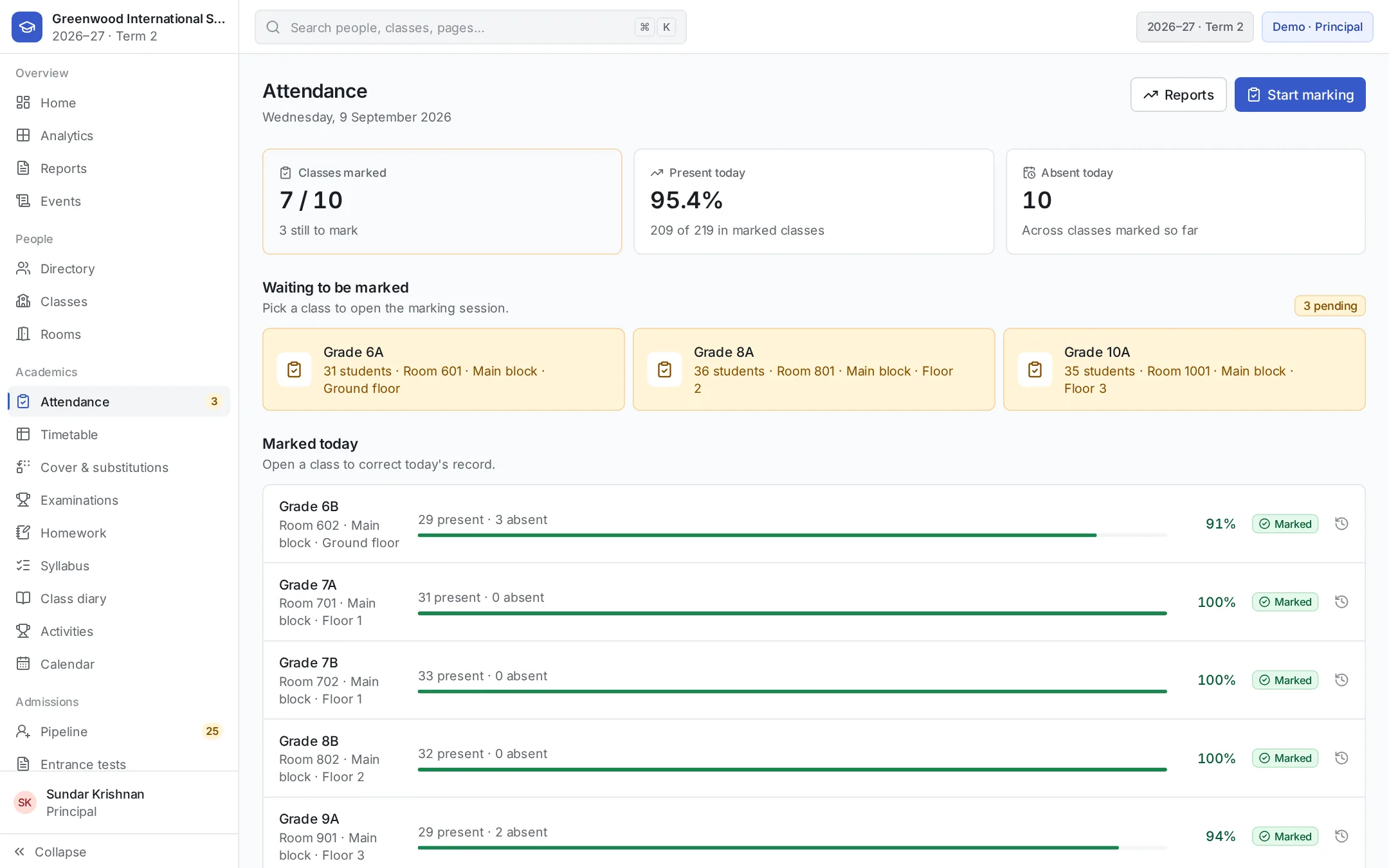
Anytime ERP attendance screen showing today’s registers across classes
8:52
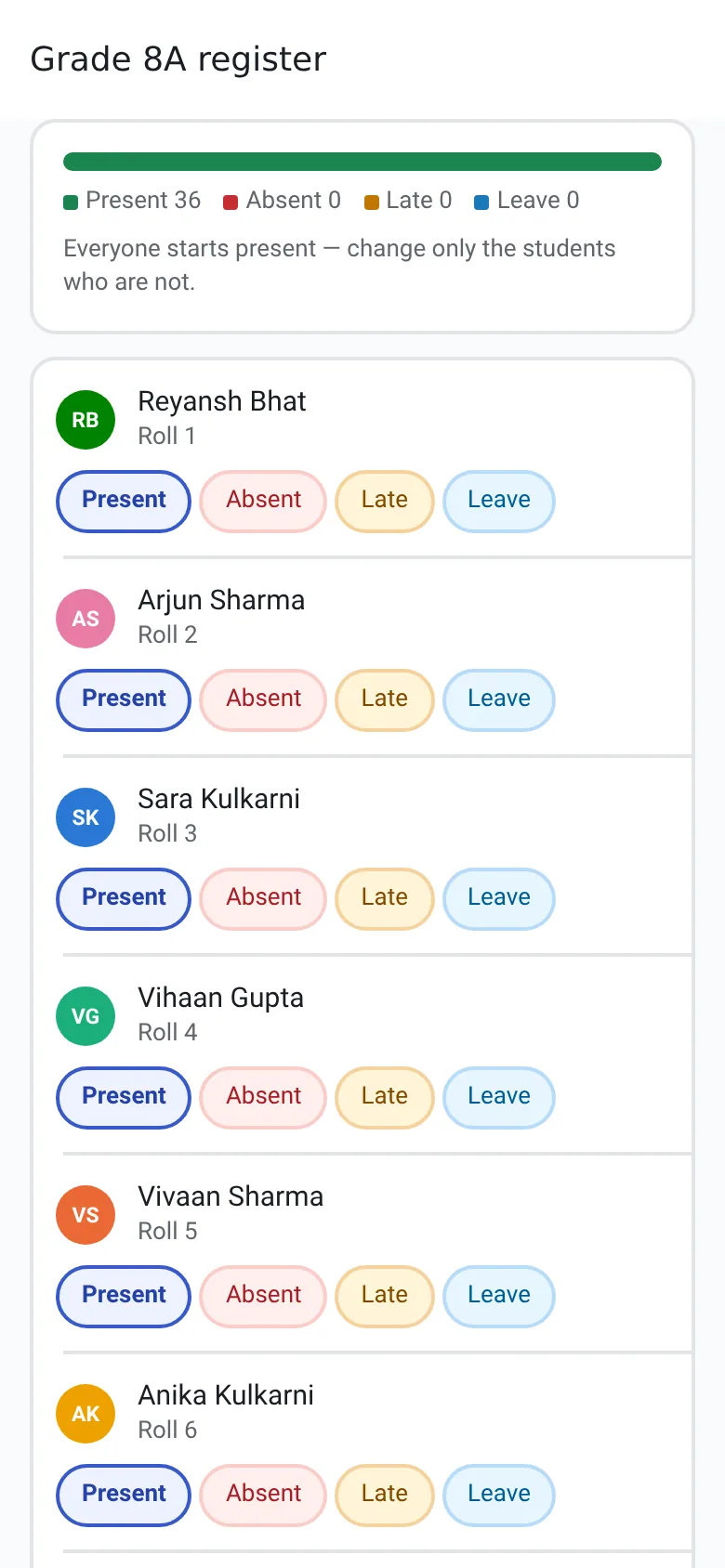
A teacher marking the Grade 8A register on the phone, with everyone starting present

Marking the register

Everyone starts present, so a teacher only marks the students who are absent, late or on leave.

  • Present, absent, late or leave for each student, with an optional note
  • Marking the same day again replaces that day’s record — no duplicates
  • Teachers mark only the classes they are assigned to
  • The same register on the web and on the Android and iOS apps

Know which classes are still to mark

Unmarked registers reach the principal before they become a problem.

  • Today’s attendance for every class — marked or not, with counts
  • Classes without attendance appear in the principal’s list of what needs attention
  • Teachers see the registers they still have to mark on their home screen

History and reports

Every day is kept, and the numbers are always one click away.

  • Attendance history per class, filtered by date range, with summary counts
  • Reports across classes and date ranges for principals, administrators and teachers
  • Each student’s attendance on their profile — for example, 88.5% over the last 30 school days
  • Reports download as Excel (XLSX) or CSV

Parents and students see it too

Families don’t have to ask the office.

  • Parents see their child’s attendance in the app
  • Students see their own attendance record

Who uses it

Everyone sees the part that’s theirs.

  • Teachers

    Mark the register at the classroom door.

  • Principal

    Sees which classes are unmarked and who is absent.

  • School office

    Pulls attendance reports for any class and period.

  • Parents

    See their child’s attendance on their phone.

Common questions

Can parents see their child’s attendance?
Yes. Parents see their child’s attendance in the Anytime ERP app, and students see their own.
How is a teacher’s absence handled?
Teacher absence comes from approved leave. When leave is approved, the classes that teacher was due to take are flagged as needing cover on the timetable.

See Anytime ERP in action.

Book a personalised walkthrough of your school’s requirements.