Anytime ERP

Anytime ERP feature

School fee management

Know what has been collected and what is still due. Fee windows, approvals, dues, discounts and receipts — with every approved payment posted to the school’s accounts.

app.anytimeerp.in
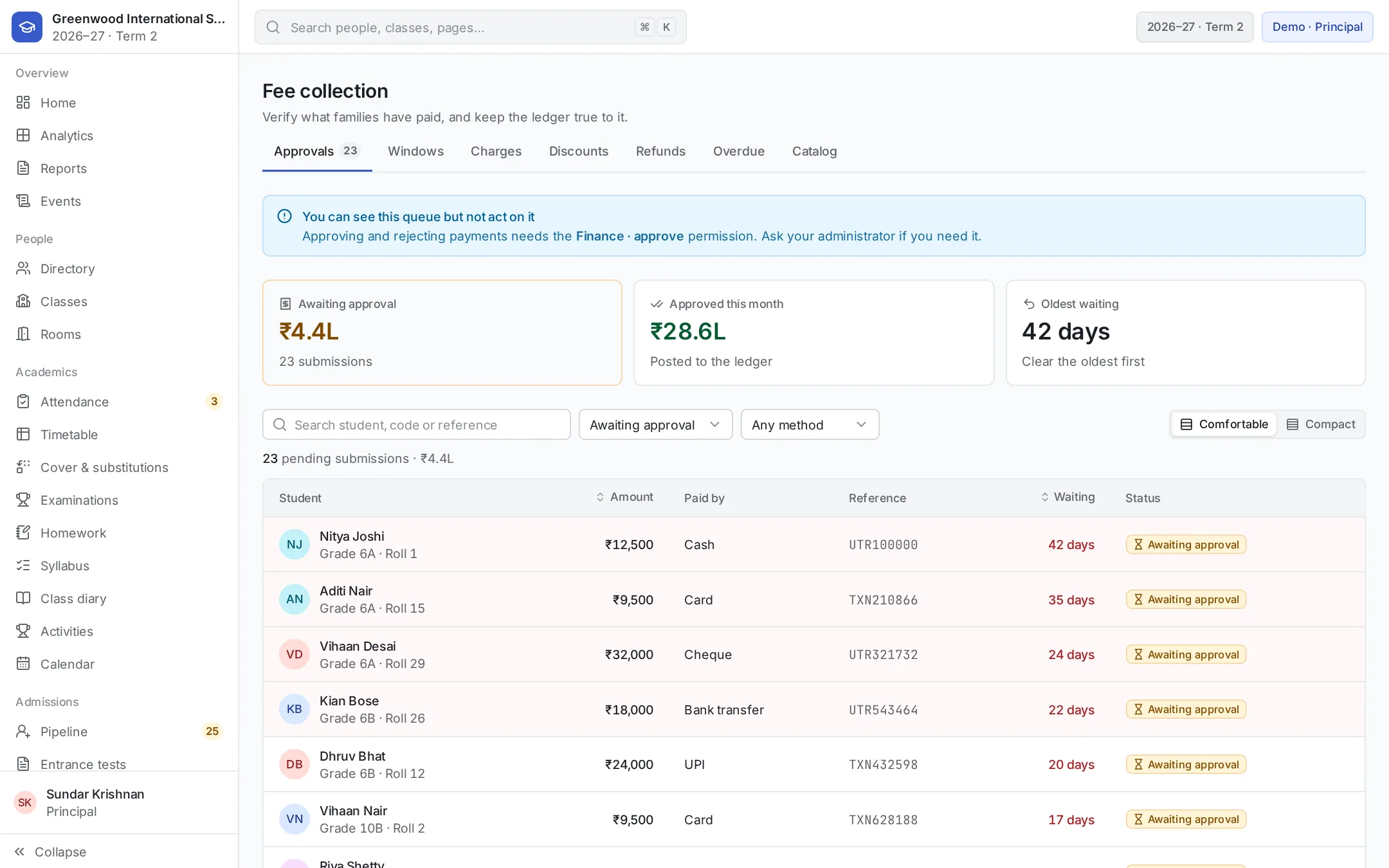
Anytime ERP fees dashboard showing approvals, overdue dues and the collection trend
8:52
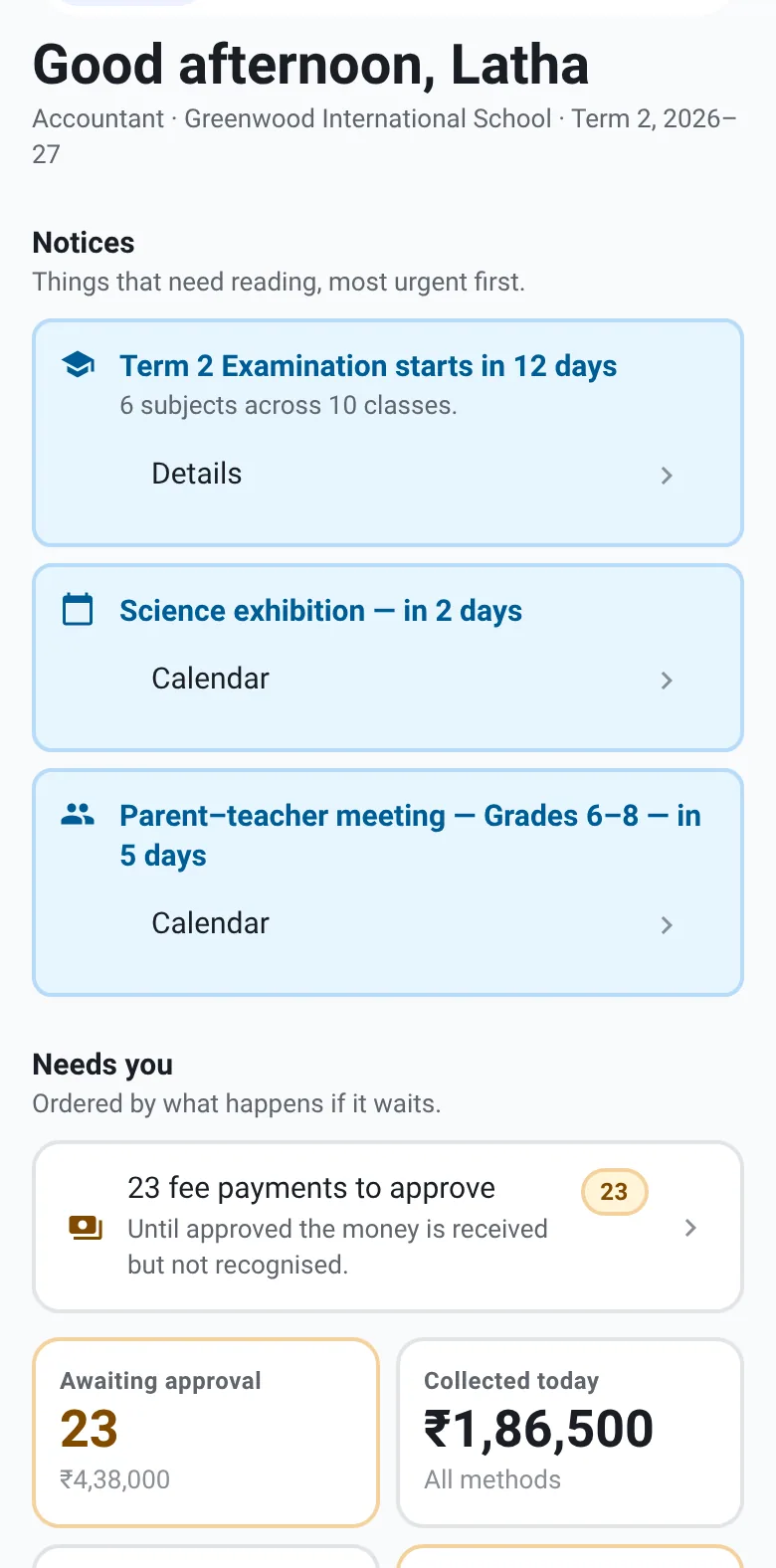
Accountant’s home on the phone: fee payments to approve and money collected today

Collect fees in windows

Open a fee window for a class or the whole school, and parents record their payment against it.

  • Monthly, quarterly or one-time windows, for one class or all classes
  • Parents record the amount, payment method, reference and date in the app
  • A second submission for the same window is blocked unless the first was rejected

Approve from one clear queue

The accountant sees every payment waiting for a decision — and so does the principal.

  • Approve one at a time or in bulk; rejecting always needs a reason
  • A decision can be reverted to pending if it was made in error
  • Payments awaiting approval, and their total, show on the accountant’s and principal’s home

Dues, discounts and fines

Every student’s balance is clear, including what they don’t have to pay.

  • Overdue dues per student, with the number of days overdue
  • Discounts and scholarships: scholarship, sibling, staff ward, RTE, hardship and more
  • Ad-hoc charges and fines, which can be waived with a reason
  • Refunds requested, approved and marked paid

Receipts, accounts and reports

The office and the accounts always agree.

  • A printable receipt for every approved payment
  • Approved fees post to the school’s double-entry accounts automatically
  • Chart of accounts, vendor bills, petty cash and budgets
  • Finance and profit & loss reports, downloadable as Excel or CSV — in rupees, lakhs and crores

Who uses it

Everyone sees the part that’s theirs.

  • Accountant

    Approves payments and follows up on dues.

  • Principal

    Sees collected, pending and overdue at a glance.

  • Parents

    Record payments and download receipts.

  • Management

    Reads the collection trend and the accounts.

Common questions

Can parents pay through the app?
Parents record their payment in the app — amount, method and reference — and the school office approves it. Once approved, the receipt is available to them.
Does it handle RTE and sibling discounts?
Yes. Discount types include scholarship, sibling, staff ward, RTE and hardship, granted per student with an optional expiry.

See Anytime ERP in action.

Book a personalised walkthrough of your school’s requirements.